Know, Execute, Prove: A Practical Framework for Agentic Selling
How I use AI agents for customer work while keeping the facts under review
By Joon Kim
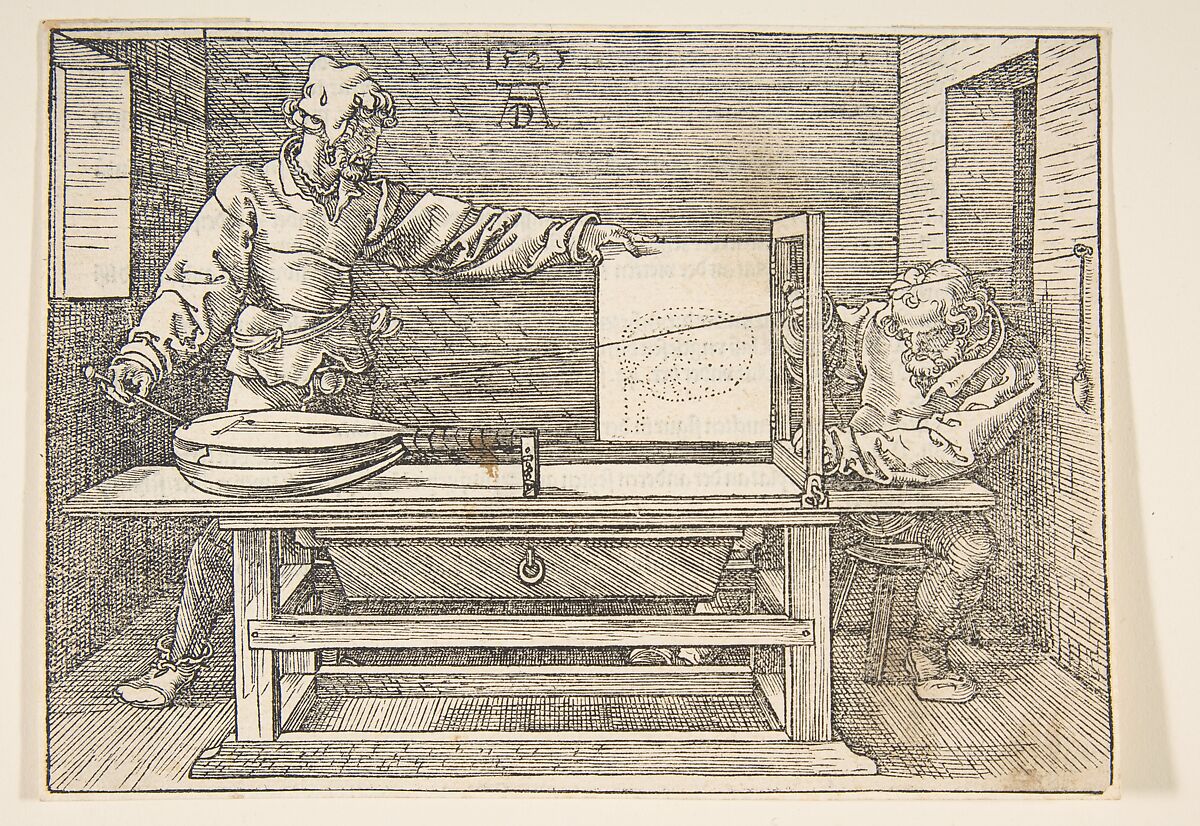
Albrecht Dürer, The Draughtsman of the Lute. Woodcut. Public domain, via The Metropolitan Museum of Art.
Disclaimer: This post draws on my work leading AI initiatives for sales organizations at Google and on a guest lecture I gave at UC Berkeley Haas Executive Education. The views are my own, not official guidance from Google or UC Berkeley Haas. Examples are anonymized and simplified for illustration.
Why this matters
AI agents can read email, run queries, and draft customer deliverables. The obvious benefit is speed: a meeting recap in two minutes instead of twenty. But why stop there?
Felix Rieseberg describes three ways to be more ambitious: raise your altitude, widen your range, and deepen your depth. In customer work, that means seeing more of the customer's business, doing analysis you once had to hand off, and taking on harder questions.
I've explored this while leading AI initiatives for sales organizations at Google, building agent workflows with clients and sales teams, and giving a guest lecture at UC Berkeley Haas Executive Education. The more an agent takes on, the more carefully I need to check its advice. My approach has three parts:
- Know: Keep a small, dated record of what you know about each customer.
- Execute: Give the agent written steps for work you repeat.
- Prove: Check important claims against current sources before a customer sees them.
The steps work together. A procedure needs customer context. A diagnosis needs live evidence. Verified findings should update the customer record.
Give the agent less to read, and better material
Long prompts can bury useful facts. Put May and September revenue targets in the same prompt, and the agent may treat both as current. An undated report can look current too.
Load what the task needs now; let the agent open other files when it needs them. This is often called progressive disclosure. Research on "Lost in the Middle" and "Context Rot", along with Anthropic's context engineering guide, explains why it helps.
I use plain Markdown (.md) files to do this. Where the agent supports it, a short description at the top of each file helps it find the right one. I divide the workspace into four parts:
1. Global Guardrails
- File
- AGENTS.md or rules/guardrails.md (Markdown; YAML if supported)
- Load now
- A short rules file pinned through your agent's supported setup
- When used
- Available on every task
2. Customer Files
- File
- customers/<account>.md (Markdown + YAML)
- Load now
- Only the file path and 1-sentence YAML description: (~25 tokens per account)
- Open later
- Full 50–150 line Markdown file opened only for the active account
3. Reusable Skills
- File
- skills/<workflow>/SKILL.md (Markdown + YAML)
- Load now
- Only the skill name and a one-sentence YAML description
- Open later
- Full step-by-step Markdown procedure opened only when the workflow matches
4. Queries and Scripts
- File
- skills/<workflow>/scripts/* (SQL / Python / Shell)
- Load now
- Nothing loaded into prompt context
- Open later
- Executed by a tool; only the relevant results return to context
Giving the agent every document can feel safer. It also gives an old target or abandoned instruction another chance to shape the answer.
What to load for the next task
Say you're preparing a renewal review. Before asking the agent to read twelve documents and replay last quarter's chat, decide what it needs now:
- Load the current customer Markdown file (
customers/<account>.md), the renewal question, and the skill for preparing the review (skills/renewal-review/SKILL.md). - Keep the contract, usage reports, and previous deck available on disk or via tools to open when a specific step needs them.
- Move old targets and abandoned draft instructions out of the prompt. Keep dated links if the history matters.
The resulting prompt can be: "Prepare a renewal review using customers/acme.md and skills/renewal-review/SKILL.md. Confirm the renewal date in the contract and pull usage for the agreed reporting period. Use last quarter's deck as a layout reference. Flag conflicting goals before making a recommendation."
Save the procedure and final deliverable. Next time, the agent can open those instead of replaying a long chat.
Decide what to trust
When preparing customer advice, I rank sources like this:
- Live query or system record.
- Source: SQL query, reporting API call, or primary system record run in the current session
- Use: Cite it with the query, inputs, and date (#date:YYYY-MM-DD).
- Direct customer statement.
- Source: The customer's own dated words in an email or call (#direct)
- Use: Cite with the date; reconfirm if old.
- Curated account notes.
- Source: Meeting notes and
customers/<account>.md - Use: Good for context. Recheck numbers before citing them.
- Source: Meeting notes and
- Exports and audits.
- Source: Pasted reports, screenshots, CSV exports, and third-party audits
- Use: Record the source and date; verify before citing.
- Model inference.
- Source: Unverified LLM reasoning or general domain priors
- Use: Treat as a hypothesis until a primary source supports it.
Whenever possible, give the agent the original thread, document, or query output. A summary may hide the anomaly that explains the result. Tell it who the work is for, what decision it supports, and what to produce.
Keep the setup simple
Your setup needs global rules, customer files, reusable procedures, and approved tools. Keep the global rules short. Each one should teach the agent something it cannot infer or prevent a costly mistake.
Keep one rules file available in every chat. The metadata below is illustrative; use only fields your agent recognizes. A plain AGENTS.md works without it:
---
description: Global verification and staging guardrails for customer-facing work
trigger: always_on
---

- Stage all outbound communications: create email drafts or review docs; never send messages or share files externally without explicit human approval.
- Trace every number and causal claim to an appropriate current query or primary record. Label each proposed cause as confirmed or hypothesis.
- Never rely on a top-level "enabled" or "active" flag alone; verify actual recent delivery or activity over a relevant period and label inactive items clearly.
- Re-read underlying source files and raw query outputs before populating any downstream deck, document, or table.
- Treat pasted reports, screenshots, exports, and numbers inside skills as unverified until re-queried.
- When context is missing or ambiguous, ask clarifying questions instead of guessing.
- When updating customer files, tag every fact with its date (#date:YYYY-MM-DD) and overwrite superseded entries instead of appending.
If instructions conflict, rules appear in several files, or a procedure hardcodes one customer's details, the setup needs pruning. Save a backup, remove one suspect rule, and rerun familiar tasks, including one where the rule should matter. Keep safety and verification rules even when routine tests do not trigger them.
If you dictate a long prompt, ask the agent to organize it before it starts:
Turn this rough request into a clear task: the decision, sources, constraints, and deliverable. Flag conflicts or questions for me. Tell me what to load now and what to fetch later. Show me the revised request before you start.
To follow along, pick one customer and a real question you want to investigate. Use the same customer through the checkpoints below.
Know: maintain a customer file
I keep one editable Markdown file per customer (customers/<account>.md). It holds the current working picture, not every conversation. Aim for 50 to 150 lines.
At the top, a one-sentence description: tells the agent when to open the file without loading every account at once.
Capture the business goal behind each request. A product question may really be about branch capacity, job margins, or repeat business. Give every important fact a source and date (#direct, #date:YYYY-MM-DD, [source: ...]). Here's a fictional example:
---
description: Multi-region B2B software account focused on Q4 seat expansion and reducing onboarding drop-off across 12 regional branches.
last_updated: 2026-10-01
---

## 1. The customer's customers
- End buyer: Mid-market operations teams purchasing workflow automation to reduce manual ticket routing.
- Channel and branch dynamics: 12 regional branches sell and implement locally; corporate HQ controls pricing tiers and renewal terms.
- Margin driver: Annual enterprise subscriptions (78% gross margin) and multi-year implementation renewals.

## 2. Stakeholders and unit economics
- VP of Operations (Executive Sponsor): Prioritizes branch adoption rate and time-to-first-workflow [source: Q3 QBR call, #direct, #date:2026-09-14].
- RevOps Lead (Technical Owner): Owns CRM-to-product telemetry sync and seat provisioning.
- Unit economics: $18,000 average annual contract value; target payback under 9 months; renewal threshold requires >=70% active seat utilization.

## 3. Verified footprint
- Active deployment: 420 provisioned seats across 12 branches; 310 monthly active seats as of #date:2026-09-28 [source: queries/active_seats_by_branch.sql].
- Inactive legacy workspaces: 2 regional sandbox workspaces remain marked ENABLED in billing but have 0 active users over the last 14 days (PAUSED).
- Data pipeline: Daily webhook sync from customer CRM to product analytics; known 48-hour attribution lag on offline contract upgrades.

## 4. Dated strategy ledger
- 2026-09-14 (#direct): Agreed to pilot automated onboarding playbooks in 3 branches before expanding contract-wide [source: Q4 Pilot Proposal Doc].
- Open question (#status:unconfirmed): Why did Midwest branch active seats fall 25% in September? Pending cohort export from RevOps Lead.
When a decision changes, update the line and link to the old source if needed. Mark open questions #status:unconfirmed so they do not become facts in a later draft.
Checkpoint 1: make the customer file retrievable
Give your agent a recent customer email thread and the notes or records you trust. Use this prompt:
Using these sources, draft
customers/<account>.mdin the format above. Include a one-sentence description, last-updated date, customer goals and stakeholders, verified footprint, and dated decision log. Add a source and date to each important fact. Flag missing or conflicting information. Show me the file before saving it.
Correct and save the file. If your agent does not index file descriptions, add its path and description to an index. In a fresh chat, ask for the customer's current goal and latest agreed decision, with sources. Check both.
What to carry into a fresh chat
Start a fresh chat when the task changes or the old one is full of dead ends. Carry over a short handoff.md, then reopen the customer file and procedure. Don't copy the whole transcript and its stale assumptions:
---
task: Q4 renewal and Midwest branch usage diagnosis
customer_file: customers/acme.md
skill: skills/usage-drop-diagnosis/SKILL.md
date: 2026-10-02
---

## Verified findings
- Provisioned seats: 420 across 12 branches; active seats fell from 120 to 90 (-25.0%) in the Midwest region between August and September [source: queries/midwest_active_users.sql, #date:2026-10-02].
- Billing and contract entitlements are unchanged [source: contract_ledger_v4, #date:2026-10-02].

## Open questions (#status:unconfirmed)
- Did the September 10 SSO identity-provider migration break automated seat provisioning in the 3 Midwest branches?

## Next step
- Run `scripts/check_sso_provisioning_logs.sql` for the 3 Midwest branch IDs before drafting the customer reply.
Execute: write procedures for work you repeat
A skill is a written procedure in skills/<workflow-name>/SKILL.md. It can include query scripts and templates in the same folder.
Where supported, a short description: at the top tells the agent when to load it: "Use when... Don't use for..."
The first four skills I recommend building for a customer-facing team cover four recurring jobs:
skills/footprint-audit/
- Job
- Map the customer's full footprint across accounts, branches, and products
- Sources
- customers/<account>.md + hierarchy SQL queries
- Check
- Cross-checks active vs. paused/ended workspaces and unlinked child accounts
- Draft
- Footprint roster sheet + summary note
skills/strategy-roadmap/
- Job
- Build an executive account strategy or joint business plan
- Sources
- customers/<account>.md + unit economics inputs
- Check
- Verifies breakeven ROI / payback math in a script before drafting
- Draft
- Strategy document + 30-60-90 milestone table
skills/deliverable-drafter/
- Job
- Turn an approved plan into customer-facing materials
- Sources
- Source strategy doc + raw query output (open the saved source file)
- Check
- Confirms 1:1 match between every table number and the queried source file
- Draft
- Staged email draft + companion doc or sheet
skills/usage-drop-diagnosis/
- Job
- Diagnose why a customer metric or workflow changed
- Sources
- customers/<account>.md + customer thread + telemetry queries
- Check
- Tests candidate causes against live logs and sweeps all active units
- Draft
- Evidence table + staged reply draft + updated <account>.md
Each skill should say how to get a number: which query, API call, or script to run. Use <PLACEHOLDERS> for account IDs and dates. A hardcoded example number may turn up later as a supposed fact.
Here's a skills/usage-drop-diagnosis/SKILL.md template:
---
name: usage-drop-diagnosis
description: Diagnoses a change or drop in customer product usage, conversion volume, or pipeline health. Use when a customer or teammate asks why a metric changed. Don't use for initial account footprint discovery or renewal pricing proposals.
---

## 1. Context to load first
- Open `customers/<account>.md` and read the verified footprint, data pipeline notes, and dated strategy ledger.
- Read the customer's incoming email thread or ticket verbatim.

## 2. Hypothesis generation and deterministic verification
- List plausible causes before proposing an explanation (e.g., configuration override, data-sync or webhook failure, permission/SSO change, seasonal schedule, or upstream demand shift).
- Run `scripts/compare_period_metrics.sql` for `<ACCOUNT_ID>` across `<CURRENT_PERIOD>` and `<PRIOR_PERIOD>`.
- Verify which workspaces or units are actively serving (`serving_status = 'ACTIVE'` with delivery in the last 14 days) versus `(PAUSED)` or `(ENDED)`.
- Compute all percentages, ratios, and deltas inside the SQL query or Python script rather than in the drafted prose.
- Sweep all other active workspaces or branches in `<ACCOUNT_ID>` to check whether the pattern is isolated or account-wide.

## 3. Methodology checklist (apply, don't recite)
- Check stakeholders in `customers/<account>.md` so the tone and level of detail match the reader.
- Connect the recommendation to the customer's stated business goal and unit economics.
- Trace every number and causal statement to a current query or primary source you can inspect.
- Separate confirmed findings from open questions requiring customer or partner input.

## 4. Deliverable and human-in-the-loop gate
- Output a 3-column verification table (`Proposed claim`, `Query / evidence source`, `Review status`) before the draft.
- Stage a concise reply draft (3–4 plain-English bullets) and place detailed tables and step-by-step fixes in a companion document.
- Propose dated `#date:YYYY-MM-DD` updates to `customers/<account>.md` for review. Never send emails or share documents externally.
Notice Section 3. If your team has a sales or advisory method, put four or five checks in the drafting skill. The agent can use them when drafting without reading the whole methodology deck in every chat.
Checkpoint 2: save one procedure you can reuse
Choose a workflow connected to your customer question, such as preparing a renewal review or diagnosing a change in product usage. Ask your agent:
Draft a reusable
SKILL.mdfor this workflow, using the example above. Say when to use it, which customer file and sources to open, what queries and calculations to run, and what to draft for my review. Use<PLACEHOLDERS>for customer-specific values. Show me the file before saving it.
Compare the steps with how you do the work. Save the file, then start a fresh chat with a task that should trigger it. Ask which skill the agent loaded and which checks it completed. Fix any skipped or unclear step.
Prove: investigate before drafting an explanation
When a customer asks why a result changed, an agent can produce a fluent guess. A usage drop might come from demand, configuration, an integration, reporting, or staffing. Asking "are you sure?" lets the model grade its own homework.
In Prove, the agent investigates and tools fetch the records and calculate the figures:
- Ground.
- Tool: Reads
customers/<account>.mdand the verbatim email/ticket text. - Agent: Identifies the business decision at stake and relevant stakeholders.
- Tool: Reads
- Hypothesize.
- Agent: Lists candidate causes across product config, data pipeline, permissions, and demand.
- Validate.
- Tool: Runs queries for configuration history, active vs. paused status, event counts by action, and integration error logs.
- Agent: Selects which queries to run next and eliminates unsupported causes.
- Compute.
- Tool: Calculates all deltas, percentages, and ratios in SQL or Python.
- Agent: Interprets the result without inventing a figure.
- Widen.
- Tool: Loops the verification query across all active branches, workspaces, or campaigns.
- Agent: Prioritizes which affected units need immediate remediation vs. monitoring.
- Synthesize.
- Tool: Pulls figures from query outputs and saves the queries.
- Agent: Writes a clear explanation and questions for technical owners.
- Update Memory.
- Tool: Saves verified metrics with source and date in
customers/<account>.md. - Agent: Identifies which findings are durable enough to replace stale entries.
- Tool: Saves verified metrics with source and date in
Run the diagnosis twice in fresh chats with the same data, dates, and definitions. The wording may change; the numbers and statuses should not. If they do, inspect the queries and calculations. Matching runs still need a source check because both can repeat the same mistake.
Make the review manageable
Have the skill produce a small evidence table before the reply. You can then check the claims that matter most without repeating the whole investigation.
In the fictional account above, suppose monthly active users in a region fell from 120 to 90 (illustrative figures and records):
| Claim | Evidence | Review |
|---|---|---|
| Active users fell 25%, from 120 to 90. | Saved query comparing August and September for the same three active branches; calculation: (90 - 120) / 120 = -0.25. | Confirm counts and filters. |
| Poor onboarding caused the decline. | No cohort or onboarding analysis has been run. | Unsupported. Omit the cause. |
| Check whether the Sep 10 SSO update blocked provisioning. | The illustrative error log shows 34 failed invites in Midwest branches from Sep 10. | Provisional. Check with the customer's IT lead. |
Checks to keep in a diagnostic procedure
Keep these checks in the diagnostic skill:
- Check actual activity: An
ENABLEDflag may hide a paused workspace. Check recent usage before recommending a change. - Find the events that count: A system may log many events but use only a few for routing, automation, or billing.
- Check local overrides: A branch, workspace, or campaign setting may override the account default.
- Look across units: If several branches show the same drop, check shared data and integrations before blaming one setting.
- Inspect incoming data: Check integration errors and
0ornullvalues, which may not appear in product audit logs. - Allow for reporting lag: Check when events arrive and which date the report assigns them to.
- Open the source before drafting: Check each figure in a deck or document against the saved query output, not a chat summary.
Checkpoint 3: inspect the evidence before the reply
Run your customer question using the customers/<account>.md file and SKILL.md procedure you saved. Before accepting a draft, ask:
Before drafting the reply, list each important claim, its source and date, and whether it is confirmed, provisional, or unsupported. Show calculations for numbers and the alternatives you checked for each proposed cause. Then draft a short reply and suggest updates to
customers/<account>.md. Leave sending and sharing for my review.
Open the source behind the main recommendation. Check one calculation and one ruled-out alternative. Correct the draft and approve any customer-file updates.
Match review to the cost of being wrong
Check more carefully as the cost of being wrong rises:
- Private Exploration.
- Examples: Brainstorming hypotheses, learning a new industry, organizing rough notes
- Review: Model inference is fine; label outputs #status:unverified and do not save to
customers/<account>.md.
- Internal Planning.
- Examples: Account plans, internal prep notes, team readouts
- Review: Every metric traces to a query with #date:YYYY-MM-DD; causes are labeled confirmed or hypothesis.
- Customer-Facing Deliverables.
- Examples: Client emails, strategy docs, QBR decks, diagnostic readouts
- Review: Run the Prove steps, check the evidence table against saved sources, and review the draft before sharing.
- High-Stakes Commitments.
- Examples: Pricing/budget changes, root-cause escalations, forecasts, or contractual terms
- Review: Add a second reviewer. Keep projections tied to an approved forecast source.
A customer may change a budget, rollout, or integration because of your advice. Include only claims you could explain with the source open on screen.
Clean up a setup you already use
Sometimes the agent confidently repeats bad material from its own files. I call this context poisoning:
- A
SKILL.mdcontaining a hardcoded sample figure (for example,"target payback is 6 months"or"baseline usage is 450 seats") that the agent later cites as a real customer's metric. - A pasted export or screenshot summary sitting in
customers/<account>.mdfor months without a#date:YYYY-MM-DDtag. - Duplicate or slightly different versions of global rules scattered across
AGENTS.md,CLAUDE.md, andrules/*.md.
Back up the working files, then ask the agent what it can inspect.
Checkpoint 4: audit for context poisoning before archiving
Run this monthly, or when an agent produces oddly specific numbers it never queried:
Inventory the global rule files (
AGENTS.md,rules/*.md), skill files (skills/*/SKILL.md), and customer files (customers/*.md) you can inspect in this workspace, and list what you cannot inspect. Audit them for context poisoning:
- Flag any hardcoded number, customer name, account ID, date, or pasted report inside a
SKILL.md, and propose replacing it with a<PLACEHOLDER>or a live query script.- Flag any metric in
customers/*.mdthat is past its useful review window or missing a#date:YYYY-MM-DDand[source: ...]tag, and propose marking it#status:stale.- Flag duplicate or conflicting rules across global instruction files and propose consolidating them into a single pinned file. Show me a table of proposed edits and their expected effect before modifying any file.
Archive old content outside the default folders. Keep links if the history matters, then rerun a few familiar tasks to check the setup.
Start with one customer file and one recurring task. If the agent can find the right context, follow the procedure, and show the evidence behind its advice, you have a workflow worth reusing.
Further reading
- Felix Rieseberg, "How to Be More Ambitious: A Tutorial for Humans with Models"
- Nelson F. Liu et al., "Lost in the Middle: How Language Models Use Long Contexts"
- Chroma Research, "Context Rot: How Increasing Input Tokens Impacts LLM Performance"
- Anthropic Engineering, "Effective Context Engineering for AI Agents"
Acknowledgements
Thanks to the colleagues, mentors, and readers whose feedback and technical reviews helped shape this essay.
Originally published: 2026-10-02 | Updated: 2026-10-21